Basics
2D animated explainer videos: styles, cost and how to get one that works
What 2D animated explainer videos are, which 2D style fits which message, what they cost and how production works. With example videos and a briefing checklist.
Capri Video · Updated · 12 min read
Example: working with a wedding planner, explained
Our Flat Figures style example follows a newly engaged couple to Elegant Savannah Weddings: a short intro, a free phone call with the owners, three packages or a custom one, from full planning to help in the last few months, and two professionals who run the wedding day from setup to breakdown.
Key takeaways
- A 2D animated explainer video explains one product, service or process in one to two minutes with flat, drawn images that move, while a voiceover carries the story.
- Pick the 2D style by what viewers need to see: characters for situations with people, whiteboard for step-by-step logic, shapes and diagrams for abstract services, screens for software.
- The story decides, not the drawing. A 2D explainer that works follows one person through one recognizable situation and ends with one clear next step.
- 2D prices run from template tools you operate yourself to several thousand dollars per minute at studios. With Capri Video, your first video is free with a watermark; to keep it, subscribe from $99 a month.
A 2D animated explainer video is a short film, usually one to two minutes long, that explains a product, service or process with flat, drawn images that move: characters, icons, screens, diagrams and text. A voiceover carries the story, and the pictures show what the words alone can’t.
Think of the last time you tried to explain what your company does to someone at a dinner table. You probably reached for a napkin, or drew boxes in the air with your hands. That impulse is the whole idea behind 2D animation. You strip away everything that doesn’t help, draw only what matters and let it move in the order a newcomer needs.
This guide covers what 2D animated explainer videos are, which 2D styles exist and when each one fits, how they compare with 3D, whiteboard and live action, what they cost and how to brief one. Along the way you can watch three finished videos in three different 2D styles.
Start with your website link. We create your first video for free with a watermark, including three revision rounds, no credit card needed. To keep the original without a watermark, subscribe from $99 a month plus sales tax, cancel monthly. Try it for free.
What is a 2D animated explainer video?
“2D” describes how the picture is built. Everything lives on a flat plane with height and width but no real depth. Characters are drawn shapes, not modeled bodies. A house is a front view, not an object the camera can fly around. Movement happens by sliding, scaling, rotating and redrawing those flat elements.
“Explainer” describes the job. The film answers one question a viewer genuinely has: what is this, how does it work, what happens after I get in touch?
Put together, a 2D animated explainer video usually has five ingredients:
- A script of roughly 130 to 150 spoken words per minute, written for the ear.
- A visual style, applied to every scene so the film feels like one piece.
- Animation that reveals things in the order the viewer needs them.
- A voiceover, plus music and a few sound effects.
- One next step at the end: book a call, request a quote, start a trial.
If you want the wider picture first, our guide to what an explainer video is covers every format, animated or not.
What 2D looks like: three example videos
“2D” covers a surprising range. The video at the top of this page is our Flat Figures example for Elegant Savannah Weddings, a wedding planner in Savannah: calm, flat characters with readable faces, and a newly engaged couple you follow from the first phone call to the wedding day. It’s what most people picture when they hear “2D animated explainer”.
Here is the same idea, a real small business explained in about a minute, in a very different 2D look. This one is made of layered, torn paper:
And here is 2D reduced to clean shapes and diagram elements, which suits a service you can’t photograph, such as insurance advice:
Three videos, three moods, one technique. None of them needed a camera, an actor, a location or a 3D model. That’s the practical appeal of 2D: the look is a decision you make, not a consequence of what you can film.
2D vs. 3D vs. whiteboard vs. live action
Before you commit to 2D, it helps to know what the alternatives are good at.
Swipe sideways if needed to read the full table.
| Format | Best for | Watch out for |
|---|---|---|
| 2D animation | Services, processes, software, anything abstract or invisible | Needs a clear story; weak scripts show quickly |
| 3D animation | Physical products, machines, anatomy, anything where depth and form matter | More time and budget; changes are expensive |
| Whiteboard | Step-by-step logic, training, building an argument piece by piece | Can feel slow if every line is drawn on screen |
| Screen recording | Software that already looks clear in the real interface | Interfaces change; small text is hard to read |
| Live action | Trust in real people, places, craft and food | Shoots, weather, schedules, and reshoots when things change |
A useful test: does the viewer need to see the real thing, or understand how it works? If they need to see your actual workshop, your actual team or the actual texture of a product, film it. If they need to understand a sequence, a relationship or a benefit, draw it.
Whiteboard animation is technically a 2D style too. It gets its own row because people ask for it by name, and because it behaves differently: the drawing itself is the performance. Our article on whiteboard explainer videos goes deeper. For the trade-offs between 2D, 3D and real footage, see the guide to choosing your style.
Six 2D styles and when each one fits
“We’d like a 2D video” is a start, not a brief. These are the 2D looks we produce, and what each is good at. You can see all of them, with example videos, in the style gallery.
Flat characters
Friendly, simplified people with readable expressions and deliberate gestures, in settings that suit the story. Use it when the explanation is about a situation between people: a couple planning a wedding, a patient calling a practice, a customer comparing two offers. Viewers recognize themselves, which is why this is the classic explainer look.
Paper cut-out
Scenes built from matte, layered and folded paper, like a miniature stage. It feels handmade and warm. Use it when you want to stand apart from the smooth corporate look, or when the subject is close to home: families, local services, care.
Whiteboard
Clear marker lines on a light background, with a few colored accents. Use it when the logic matters more than the mood: how a process runs, what happens in which order, why step three depends on step two.
Geometric shapes and diagrams
Clean shapes, precise geometry and generous spacing. People appear as simple figures; ideas appear as diagrams. Use it for services with no physical product, such as insurance, finance, consulting or data.
Isometric
Flat illustration drawn at a fixed angle so rooms, buildings and sites look three-dimensional without being modeled in 3D. Use it when place and layout matter: a yard, a warehouse, a floor plan, a route. It gives you much of the spatial clarity of 3D at 2D effort.
Kinetic type
Bold moving words on full color fields, each word appearing as it’s spoken. Use it for short, punchy messages, social cuts and anything likely to play without sound.
Two more of our styles sit at the edge of 2D: Product Tour, which shows software in real or faithfully recreated screens, and Assembly Guide, a factual line-drawing look for instructions. If your subject is an interface or a set of steps with parts and tools, start there.
Why 2D works so well for explaining
You control attention. In a filmed scene, the eye wanders to the plant in the corner. In a 2D frame, there is nothing on screen you didn’t put there. One thing moves, and that’s where everyone looks.
You can show the invisible. Data moving between systems, the three days between a request and a callback, how an insurance broker compares offers behind the scenes. None of that can be filmed. All of it can be drawn.
People can be anyone. A flat figure isn’t a specific actor of a specific age in a specific outfit. More viewers can see themselves in it, and you avoid casting, releases and wardrobe.
It stays up to date. Prices change, a step is dropped, the interface gets a new button. Updating a 2D scene is an edit. Updating a filmed scene is another shoot.
It carries your brand without effort. Your colors and typography can run through every frame, so the film looks like it belongs on your website.
It suits small screens. Simple shapes and large labels stay readable on a phone, where a wide shot of a real room turns into visual noise.
When 2D is the wrong choice
2D isn’t always the answer, and choosing it for the wrong job produces a pretty film that explains nothing.
- The product’s form is the point. If buyers need to see how parts fit, how a mechanism moves or what a finish looks like, use 3D or real footage. A simple line-drawing guide can work for assembly; a flat cartoon of your machine will not.
- Trust depends on real faces. A surgeon, a founder or a craftsperson talking to the camera can do what no drawn figure can.
- The software already explains itself. If the real interface is clean, a guided screen tour may beat an illustrated metaphor.
- There’s no clear message yet. Animation doesn’t fix a vague offer. It makes vagueness more visible. Sort out the one question first.
The anatomy of a 2D explainer that works
Most explainers that hold attention follow the same five beats. The wedding planner video at the top of this page runs 90 seconds, and you can watch each beat go by.
- The situation (0:00 to 0:15). One person in one recognizable moment. Not “many couples find wedding planning stressful”, but: “Congrats on your engagement! Now, one tiny question… What color are the napkins?” Then the list piles up behind it: venue, vendors, contracts, budget, timeline.
- The turn (0:15 to 0:23). “Good news: it doesn’t all have to land on you.” Only now, 19 seconds in, does the business name appear for the first time.
- How it works (0:23 to 1:06). A short intro by email, a free phone call with the owners, then one of three packages or a custom one. Each step is shown as it’s described. This is where 2D earns its keep.
- Why them (1:06 to 1:20). Two reasons to believe: 13 years of weddings, and two professionals who run the day itself.
- The next step (1:20 to 1:30). The film returns to its opening question, “The napkins? Handled.”, and ends on one action and one web address.
More than half the film is the “how it works” part, and the company talks about itself for about 15 seconds. That ratio is typical of explainers people watch to the end.
The same structure works for software. Here’s a script opening for an invented business:
“It’s Sunday night, and Dana is typing next week’s rota into a spreadsheet again. Two people have swapped shifts. One is off sick. With the new scheduling app, Dana drags a name onto a day and everyone’s phone updates. No group chat. No Sunday night.”
Notice what the picture has to do: a spreadsheet, a tired person, a drag, phones lighting up. Every sentence can be drawn. That’s the test for a 2D script. If a line can’t be shown, such as “we offer innovative, holistic solutions”, it probably doesn’t belong in the film. Our guide to writing an explainer video script has a full template.
How a 2D animated explainer video is made
Whoever produces your film, the work runs through the same stages.
1. The one question
Decide what a viewer should be able to say after watching. “Now I know what happens after I call.” Everything else follows from this sentence.
2. Script
The script comes before any drawing. It fixes the length, the scenes and the cost. A change here is a few minutes of typing; the same change after animation means redoing scenes and re-recording the voice.
3. Style and storyboard
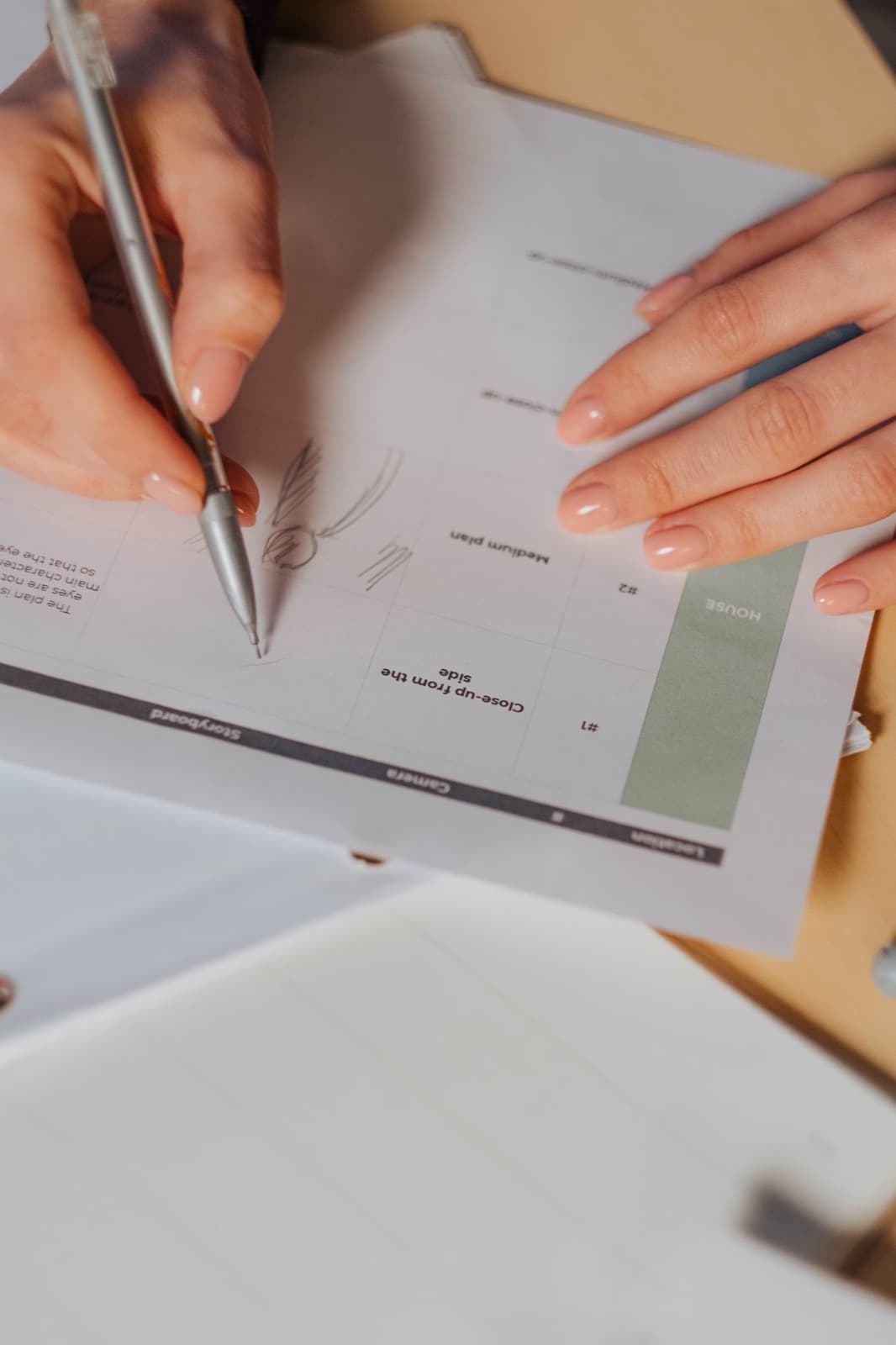
One or two finished-looking frames show the style. A storyboard shows every scene as a rough sketch next to its line of script, so you can check the story before anything moves.
4. Illustration and animation
Every element is drawn in the chosen style, then set in motion. Good 2D animation is restrained: things arrive when they’re mentioned, rest long enough to be read and leave when they’re done.
5. Voice, music and sound
A voice recording sets the pace. Music supports the mood without competing with the words. See our article on explainer video voice over for how to choose a voice.
6. Review
You watch, comment and get a revised version. Agree up front how many rounds are included.
In a traditional setup, these stages pass between several specialists and usually take four to eight weeks. With Capri Video, AI supports production and our team checks each video before you see it. Your first reviewed, watermarked draft arrives within 24 hours after you submit your website link.
What does a 2D animated explainer video cost?
2D is usually the most affordable way to get a custom animated film, but “2D” alone doesn’t set the price. Rough bands from published market rates:
Swipe sideways if needed to read the full table.
| Route | Typical price | What you get |
|---|---|---|
| Template tools you operate yourself | Free to about $50 a month, plus your time | Ready-made characters and scenes you assemble yourself |
| Freelancer | Roughly $1,000 to $5,000 per finished minute | Custom work from one person; quality and reliability vary |
| Explainer studio | Roughly $5,000 to $15,000 per minute | Custom script, illustration and professional voiceover |
| Capri Video | Subscription from $99 a month (one explainer up to two minutes) | Script, animation, voiceover and music; three revision rounds; first video free with watermark |
What moves a 2D quote most is custom design, especially characters drawn from scratch, plus the number of revision rounds, languages and extra formats. The full breakdown is in our article on explainer video prices.
Seven mistakes that make 2D explainers forgettable
1. Starting with the company
“Founded in 2009, we are a leading provider of…” Nobody leans in. Start with the viewer’s situation, and bring in your name at the turn.
2. Listing features instead of telling a story
Seven features in 60 seconds is a list read aloud. One person solving one problem is a story.
3. Putting the script on screen
If the voice says a sentence and the same sentence appears as text, the viewer reads ahead and stops listening. Use short labels, not subtitles of the narration. Real captions are a separate, optional track.
4. Moving everything at once
Animation directs attention. Three things moving at the same time direct it nowhere.
5. Cramming
A 90-second film holds about 200 spoken words. If your script has 350, the voice races and nothing sticks. See how long an explainer video should be.
6. Choosing a style because it’s trendy
A playful cartoon for a law firm’s inheritance service will feel wrong, however well it’s drawn. Match the style to the subject and the audience.
7. Ending without a next step
A film that ends on a logo leaves the viewer with nothing to do. End on one action and where to take it.
Briefing checklist for a 2D animated explainer
Send this to any producer and the quotes become comparable.
- Audience: who watches, and what do they already know?
- The one question the film answers.
- The situation your customers are in right before they need you.
- Three or four steps that describe how it works.
- One or two reasons to believe: guarantee, experience, a specific method.
- The next step, with the exact URL or action.
- Style direction: one of the looks above, or links to films you like.
- Brand assets: logo, colors, fonts.
- Length, language and formats: landscape for the website, vertical or square for social.
- Where it will play: homepage, ads, sales emails, a booth screen.
- Who approves it, and how many feedback rounds you expect.
Frequently asked questions
What is the difference between 2D and 3D animation?
2D animation moves flat, drawn elements on a plane. 3D animation builds models with volume in virtual space, lights them and moves a camera around them. 2D is faster and usually cheaper, and it’s ideal for ideas and processes. 3D is the better choice when the physical form of an object is what you need to show.
How long should a 2D animated explainer video be?
One to two minutes for most offer explanations, and 30 to 60 seconds for a single narrow question or a social cut. Longer films suit training, where viewers have chosen to learn.
How long does it take to produce one?
Traditional production usually takes four to eight weeks. With Capri Video, the first reviewed draft arrives within 24 hours after you submit your website link; the final delivery date depends on your feedback.
Can I make a 2D animated explainer video myself?
Yes. Template-based DIY tools let you assemble scenes from ready-made characters. Expect to spend several working days on your first film once you count the script, editing and revisions, and expect a look that other companies share. Our guide on how to make an explainer video walks through the steps.
Is 2D animation cheaper than 3D?
Usually, yes. 3D adds modeling, texturing, lighting and rendering, and late changes cost more. If you don’t need to show an object’s form, 2D gives you more explanation for the budget.
Can AI make a 2D explainer video?
AI can speed up much of the production, but it doesn’t know what your customers keep asking, and unreviewed output often contains small visual errors. That’s why our team checks every video before you see it. More in our article on AI explainer videos.
Which languages are possible?
With Capri Video, English or German. If you need the same video in both, tell us so we can agree on the second version.
Get your own 2D animated explainer video
You don’t need a script, a storyboard or a long briefing call to find out what your offer looks like as a 2D video. Pick a style in the gallery and give us your website.
Start with your website link. We create your first video for free with a watermark, including three revision rounds, no credit card needed. To keep the original without a watermark, subscribe from $99 a month plus sales tax, cancel monthly. Try it for free.