Products & online shops
One robot-vacuum question, one useful clip
Organize support videos by model and task so owners can go straight to setup, mapping or component care.
Capri Video · Updated · 1 min read
Example: an assembly manual brought to life
See how a printed manual becomes a sequence customers can follow. Our example shows the Duke Fitness XB30 assembly with counted parts and numbered steps.
A robot-vacuum owner looking for brush-care instructions shouldn't have to watch the entire product introduction. Give each task its own clearly named clip, with the model identified at the start.
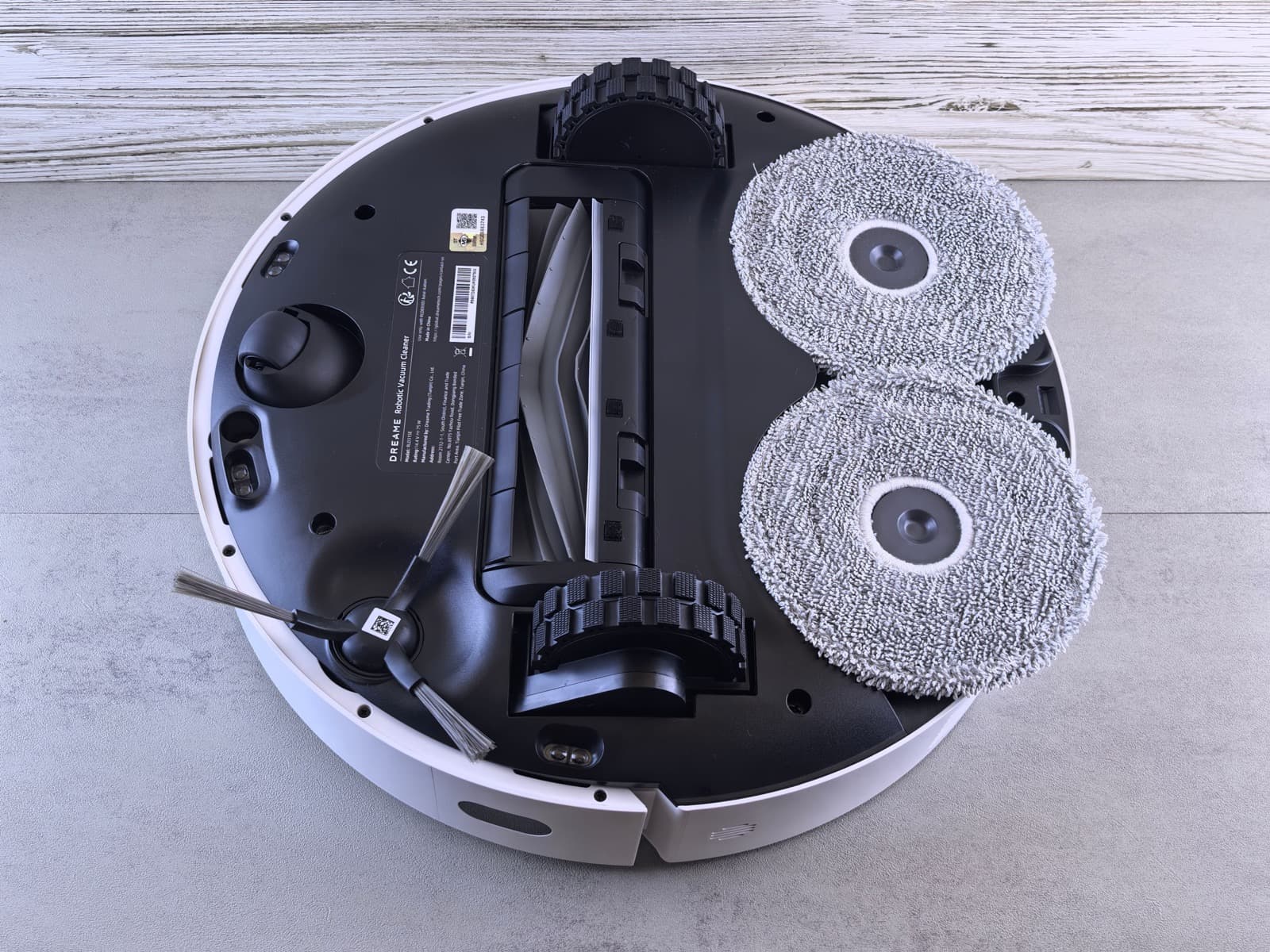
Give a care task its own space
Choose one approved component-care task. Establish where the component sits on the device, then show the manufacturer-confirmed sequence and accompanying information. Keep unrelated app functions and other model variants out of the demonstration. Important context belongs beside the relevant action, not in a dense closing screen.
Start with the right product documents
Bring the model's manual, component images, app screens and approved care instructions.
Record the model and documentation version, and check close-ups against the real product. Have the product specialist review the scenes before animation.

Help people find the right explanation
Organize support clips by model and task. Ask whether viewers can identify the part and find the right guidance. Repeated support searches can suggest the next clip to make. A small collection of focused answers is easier to navigate than a product introduction that briefly mentions every feature.